White-label setup
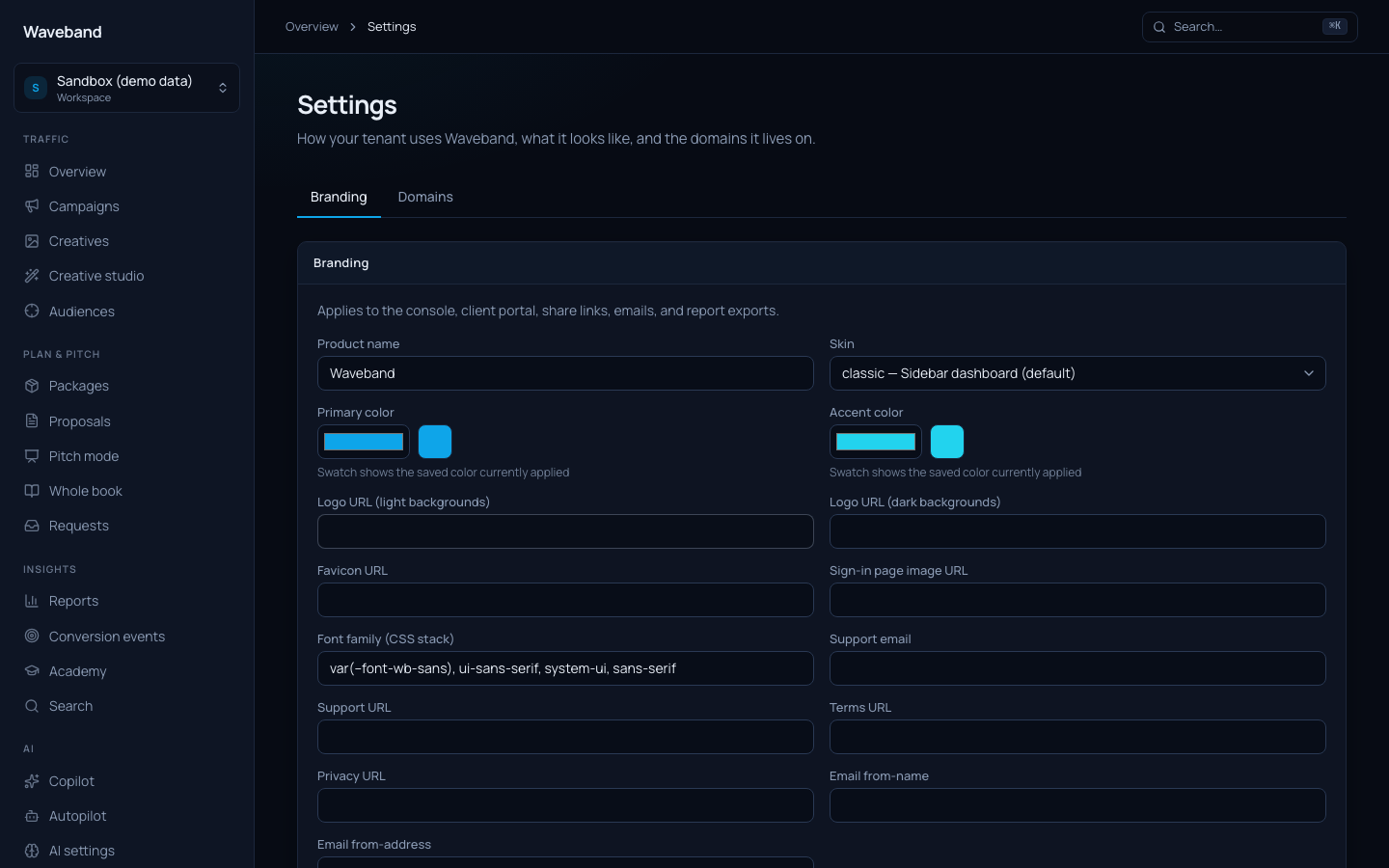
Serve the console, client portal, docs, and share links on your own domain with your own logo, colors, product name, and email sender: your clients never see a platform name.
Custom domain
- In Settings → Domains, add your hostname (e.g.
platform.youragency.com). - At your DNS provider, create the records shown in the table: a CNAME from your hostname to
customers.adwave-apps.com, plus TXT records for ownership verification and SSL issuance. - Click Refresh status (or wait: status is re-checked automatically every few minutes). Once active, SSL is issued and the domain serves your branded console.
Branding
Settings → Branding controls the product name, logos (upload or CDN URL), favicon, colors, font, sign-in imagery, skin, support contact, and email from-address. Changes propagate within a minute and apply to the console, client portal, share-link reports, transactional emails, and CSV report exports.
Uploads accept PNG, JPEG, WebP, or ICO up to 512KB. SVG is not supported.
Skins
- Classic: sidebar dashboard (default).
- Minimal: clean, airy, softer corners.
- Trader: dense tables, keyboard-first.
- Embedded: chromeless, for iframes and API-first workflows.
- Aurora: soft glow, spacious surfaces.
- Slate: flat, sharp, muted chrome.
Every feature exists in every skin: skins change look and density via CSS, not capability.
Terms and privacy
Waveband is operated by Adwave Inc. Platform Terms of Service and Privacy Policy apply to every tenant, including white-label and reseller use. Branding does not replace those terms. You accept them when you create a workspace (and existing workspaces are prompted once if acceptance was never recorded). Legal links in the console and emails always open the platform pages.
Branded email
Set an email from-name and from-address under Branding. The from-domain must be verified for sending (SPF and DKIM records). Contact support to complete verification for your domain. Until then, email sends from the platform default sender with your branding applied to the message body.