Billing
Every charge accrues to an itemized ledger you can inspect on the Billing page: media delivery, the platform fee, plan subscriptions, AI usage, and any overages. Payments and credits appear on the same ledger, so the balance you see is always the signed sum of the line items.
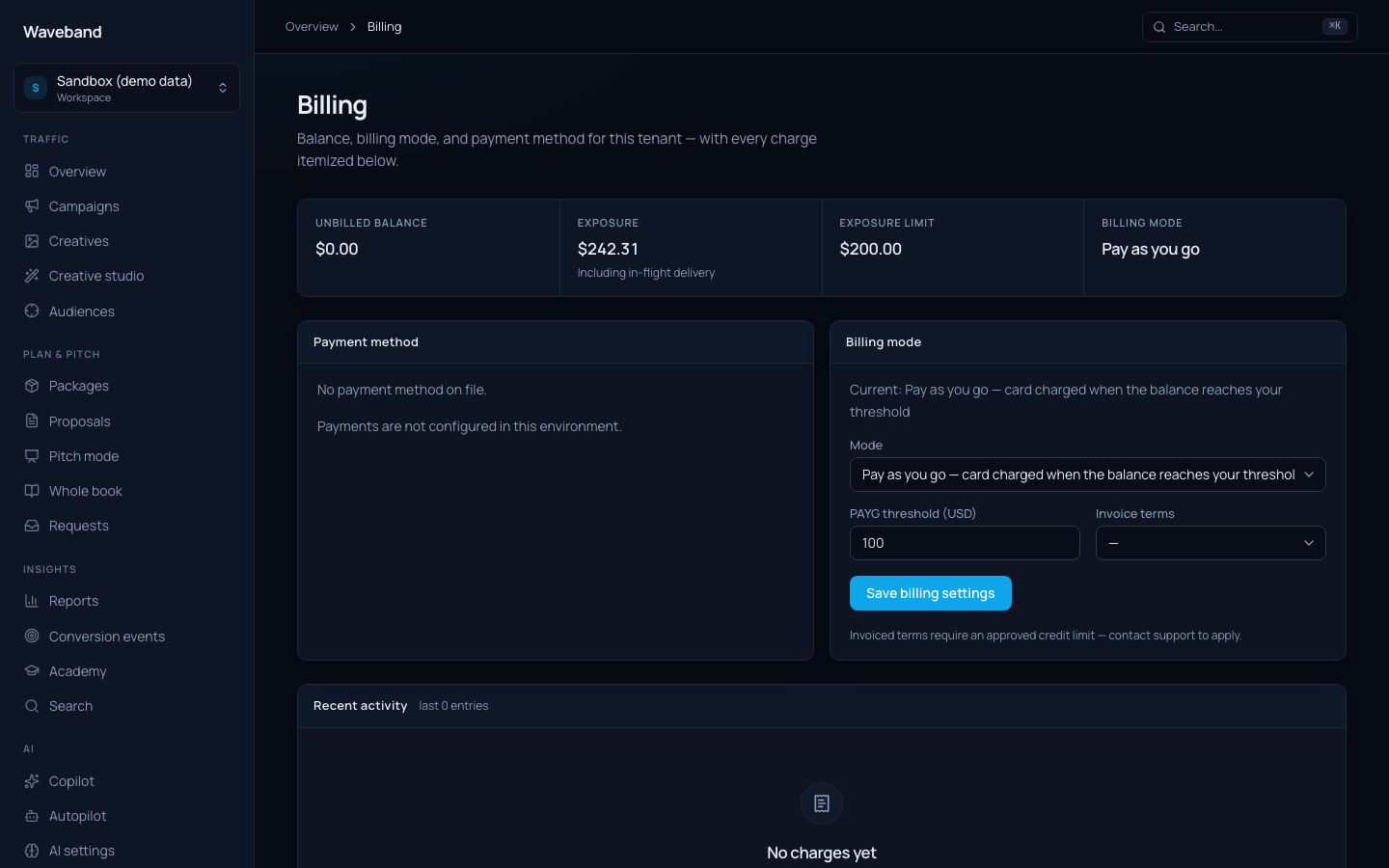
Billing modes
- Pay as you go (default): your saved card is charged automatically when the unbilled balance reaches your threshold (default $100), or at least every 7 days.
- Monthly: your saved card is charged on the 1st for the previous month's charges.
- Invoiced terms: a monthly invoice on net-30 (+1%) or net-60 (+2%) terms. Requires an approved credit limit; contact support to apply.
- Prepaid wallet: top up first and spend draws down the balance. Top-ups earn a 2% bonus credit. Zero credit exposure, so no card or credit application needed.
You can switch modes at any time on the Billing page. The outstanding balance carries over and is collected under the new mode's schedule.
Plans
Pick Free, Growth, Agency, or Headless on Console → Billing. Enterprise is available through support. Your plan sets the base media take rate, monthly SaaS fee, and capacity limits (workspaces, users, client portal logins, custom domains, Autopilot slots). Upgrades and downgrades take effect immediately: take rate updates right away, and a day-prorated charge or credit posts to the ledger for the rest of the month. Downgrades are blocked if your current usage exceeds the lower tier; remove extras or upgrade instead.
Media pricing
Media is billed at delivered spend plus a platform fee that depends on your plan (12% on Free down to 5% on Enterprise) with automatic volume discounts: −1 point above $100k/month and −2 points above $500k/month. Delivered spend reconciles daily against the delivery source of record; corrections post as labelled true-up lines rather than silent edits.
Spend protection
If the outstanding balance grows past your limit (your threshold headroom on card modes, your credit limit on terms, or the wallet balance on prepaid), the account steps through a ladder: a warning first, then new campaign activations are blocked after 24 hours, then campaigns pause after 48 hours: immediately at 120% of the limit. Settling the balance reverses every step automatically.
Payment security
Cards are collected and stored by our PCI-DSS Level 1 payment processor through a hosted form: card numbers never touch our servers. Receipts and invoices are emailed to your billing contact.